
Wedding Registry
Create a wedding registry, free and online. Add the gifts you actually want, add contributions for bigger items and share the link with your guests.

- Friends don't need an account to reserve
- Add gifts from any online store
- Pool money for bigger gifts
- Share with one link, on WhatsApp too
How it works
Name your list
Give it a title and add a short note if you like. You only need a free account when you save it.
Add your gifts
Paste any product link and we pull in the title, image and price for you.
Send the link, you're done
Share it with whoever you want. When someone picks a gift, it's reserved, so nobody buys the same thing twice.
Perfect for
- Engagement party
- Bachelorette party
- Wedding day
- Honeymoon fund
- Bachelor party
- Newlyweds
- Vow renewal
- Second wedding
What it looks like
Here's what a wishlist looks like for friends and family.


Wedding registry ideas couples actually use
Practical things for the house and a few experiences couples tend to remember. Add any of them to your wedding registry.
 Amazon Echo DotSponsoredamazon.comView product
 Amazon Basics 6-Piece Fade-Resistant 100% Cotton Towel SetSponsoredamazon.comView product
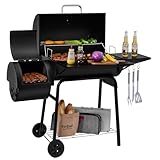 Royal Gourmet CC1830S BBQ Charcoal Grill and Offset SmokerSponsoredamazon.comView product
 Cosbarn Luggage Sets 5 Piece SuitcasesSponsoredamazon.comView product
 Hamilton Beach Power Elite BlenderSponsoredamazon.comView product
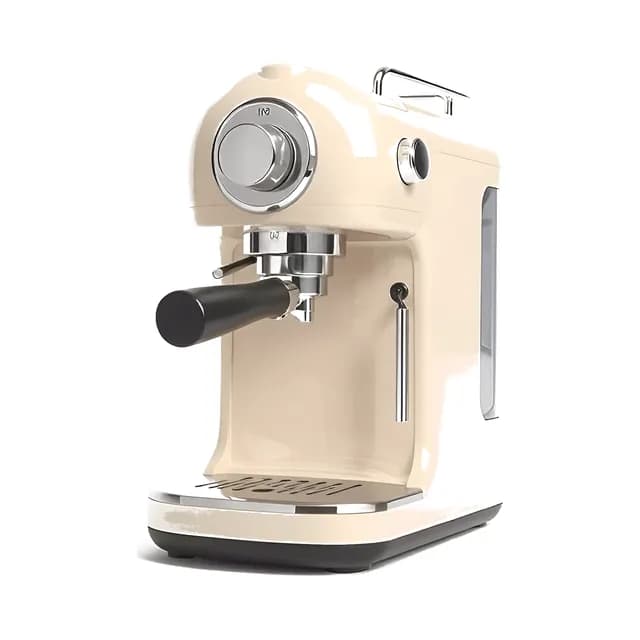
 CASABREWS CM5418 Compact Espresso MachineSponsoredamazon.comView product
 Charlotte – Champagne GlassesSponsoredlagomglassware.comView product
 Silverware Set for 8, 40 Piece Stainless Steel Flatware…Sponsoredamazon.comView product
 Quatish 24 Piece Plates and Bowls SetsSponsoredamazon.comView product
 HYMOKEGE Queen Comforter Set Seersucker 7 PiecesSponsoredamazon.comView product
 Kitchen in the box Stand MixerSponsoredamazon.comView product
 CAROTE 16pcs Pots and Pans SetSponsoredamazon.comView product
Learn more about creating a wedding registry
What is a wedding registry?
A wedding registry is a wishlist you build together as a couple before your wedding. Guests can see what you'd like to receive, from practical home goods to a contribution toward your honeymoon. With an online wedding registry you end up with things you'll actually use, and your guests know their gift will be appreciated.
When to set up your wedding registry
Aim to build your wedding gift list two to three months before the wedding. That gives guests plenty of time to choose and order. Setting up an online wedding registry is simple. Add the gifts you'd like, set contribution goals on bigger items if you want, and add photos or a note for your guests.
What to put on a wedding registry
Think about your life together as newlyweds. Kitchen appliances, good bedding and tableware all make sense, and so do experiences like a dinner out, a day trip or a contribution toward your honeymoon. Keep a wide range of prices so every guest can find something, from small things like a set of dish towels to bigger items several people can chip in for. Always include the exact product link so there's no confusion about color, size or model.
How to share your registry with guests
Once you've built your registry, you'll get a unique link to share. Pop it on your wedding website, slip it into the invitation, or send it over WhatsApp. You can also copy the short code so guests can look up your registry on happygiftlist.com, or download a QR code to add to your save-the-date or wedding invitation. Guests don't need an account to browse or reserve a gift. They just open the link. As soon as something is reserved, it's marked as taken for other guests, so nobody buys the same gift twice and there's nothing to return after the honeymoon.
Cash wedding registry and honeymoon funds
If your kitchen is already fully stocked, you can use part of your list as a cash wedding registry. Add a fund for the honeymoon or a bigger project, and several guests can chip in toward the same goal. You see the progress, and nobody has to hand you an envelope at the reception. Many couples now combine a few things for the house with a wedding fund like this, and one registry makes room for both.
More on Happy Giftlist
Guides from our blog
Frequently asked questions about creating a wedding registry
Type a name for your registry at the top of this page and click “Create wedding registry”. If you're not signed in, you can sign up for free or log in right there, and your registry is created straight away. Then add gifts by pasting a product URL from any online store, and we'll fill in the title, image and price automatically. After that, your registry is ready to share with your guests.
A wedding registry is a list of gifts you'd like to receive as a couple. Guests can browse the list, pick something and reserve it, so nobody gives the same thing.
Yes, it's completely free. Your wedding registry can be as long as you like, from a handful of gifts to a full list for a big wedding.
Mostly things you'll use every week: a good pan, decent bedding, glasses for when friends come over. Add a few small things for guests who want to spend less, and a honeymoon fund if you'd like one.
Not at all. Most guests prefer it, because they want to give something you'll actually use. Share it on your wedding website or with your invitation.
Yes. For bigger items like furniture or a honeymoon, you can set a contribution goal, and several guests can each chip in. That way a sofa or a honeymoon flight becomes possible without one guest paying the full price.
Once you've created it, you get a shareable link. Put it on your wedding website, add it to the invitation, or send it via WhatsApp. Guests don't need an account.
Guests can see which gifts are already taken. You don't, unless you switch on “See reserved gifts” on your registry or turn on “Tell me who reserves gifts” to get an email for each reservation. Leave both off and the gifts stay a surprise until you unwrap them.
Yes. You can add a honeymoon fund or any other experience by setting a contribution goal. Guests can each chip in whatever amount they like.
No. Guests can browse your registry and reserve gifts without creating an account. Only you need an account to create and edit it.
Yes. You can edit your registry at any time: add items, remove things you've already received, make it private or delete it once you no longer need it.
Yes. Add gifts from any store and, on the same list, a fund for the honeymoon or a bigger purchase. Guests choose what suits them, and several of them can put money toward the same fund.



Ready to start your list?
Name it, add your first gifts and share the link. It's free.
Start your wedding registry