
Baby Registry
Create a baby registry in a few minutes — free and online. Add everything you need for your little one and share the list with family and friends.
- 100% free to use
- Add gifts from any online store
- Share with anyone via a simple link
- No more duplicate gifts
How it works
Create your account
Enter your email and pick a password — done in seconds.
Add your gifts
Paste any product link and we pull in the title, image and price for you.
Send the link, you're done
Share it with whoever you want. When they pick something, it's reserved — no one buys the same thing twice.
Perfect for
Learn more about creating a baby registry
What is a baby registry?
A baby registry is a wishlist you create before your baby arrives. Family and friends can see exactly what you need — so you don't end up with three car seats, two baby monitors, or five of the same babygrow. Building an online baby registry saves everyone time and money, and makes sure you get the things you'll actually use once the little one is here.
When to start your baby registry
Most parents create their baby gift registry between weeks 12 and 16 — the end of the first trimester or the start of the second. That gives you time to choose without rushing, and gives guests plenty of notice to order something in time for the baby shower or due date. With our baby registry tool, just paste a product link from any online shop and we'll pull in the name, photo, and price for you.
What to put on your baby registry
Start with the essentials: a pram or stroller, car seat, safe sleeping space, and feeding supplies. Then layer in the everyday items — muslin cloths, bodysuits in a few different sizes, and sleep sacks. Don't forget consumables like nappies and wipes; they're always welcome and perfect for guests on a smaller budget. For pricier items like a full nursery setup, you can set a contribution goal so several people can chip in together.
How to share your baby registry
Once your registry is ready, you'll get a unique link to share. Pop it in your baby shower invitation, drop it into the family group chat, or include it with your pregnancy announcement. You can also copy the short code so others can look up your registry on happygiftlist.com, or download a QR code to add to your shower invitation. Guests don't need an account — they just click the link to browse, reserve a gift, or chip in together on a bigger item. Other guests can't see who reserved what; as the list owner you choose whether to peek at the reservations in your dashboard or keep the surprises for the shower.
What it looks like
Here's what a wishlist looks like for friends and family.
Baby Monitor
189 €
Baby Wrap Carrier
Pram
450 €
Baby registry must-haves and gift ideas
Browse our selection of baby registry must-haves and original baby shower gift ideas. From practical baby essentials to unique newborn presents - build your personal baby registry with our inspiration and tips.

NCVI Wearable Breast Pump
NCVI Wearable Breast Pump for Moms, <42dB for Office, Home or Travel Use
amazon.com
View product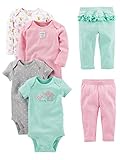
Simple Joys by Carter's Baby Girls' 6-Piece Bodysuits
Simple Joys by Carter's Baby Girls' 6-Piece Bodysuits (Short and Long Sleeve) and Pants Set, Aqua Green Elephant/Grey Dots/Pink Stripe/White Forest Animals, 3-6 Months
amazon.com
View product
Muslin Swaddle Blankets
Muslin Swaddle Blankets for Newborn, 3 Pack Breathable Soft Receiving Blanket, Large 38 x 40 inches Swaddle Wrap Burping Clothes, Essentials Infant Shower Items, Toddler Gift (Bright Colors)
amazon.com
View product
EERKEOD Baby Crib Mobile Bear Nursery Mobile
EERKEOD Baby Crib Mobile Bear Nursery Mobile for Boys Girls Teddy Velvet Mobile Nursery Decor for Infant Bedroom Hanging Baby Mobile for Bassinet Newborn Baby Gift(Brown Bear)
amazon.com
View product
BUNWAG Baby Bathtub, Collapsible Newborn Bathtub
BUNWAG Baby Bathtub, Collapsible Newborn Bathtub for Infant to Toddler with Soft Cushion and Thermometer,Portable Travel Newborn Tub with No-Slip Feet, Baby Shower Gifts, 0-12 Months Baby Bath, Grey
amazon.com
View product
CheerKid 3in1 Baby Highchair
CheerKid 3in1 Baby Highchair for Months & Toddlers Easy Clean Booster Chair
amazon.com
View product
Astro alan Baby Diaper Bag
Astro alan Baby Diaper Bag with Changing Station, Waterproof Diaper Bag Backpack for Moms Dads with USB Charging Port, Baby Shower Gifts, Baby essentials,Grey
amazon.com
View product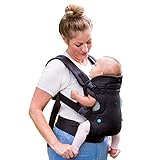
Infantino Flip 4-in-1 Baby Carrier Convertible Ergonomic
Infantino Flip 4-in-1 Baby Carrier Convertible Ergonomic, Black
amazon.com
View product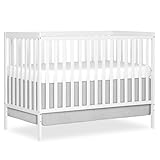
Dream On Me Synergy 5-in-1 Convertible Full Size Baby Crib
Dream On Me Synergy 5-in-1 Convertible Full Size Baby Crib, GREENGUARD Gold
amazon.com
View product
GoodBaby 5" Baby Monitor
GoodBaby 5" Baby Monitor with Camera and Audio No WiFi
amazon.com
View product
Safety 1st Ellaris 3-in-1 Convertible Car Seat
Safety 1st Ellaris 3-in-1 Convertible Car Seat, Slim Fit Design, Rear & Forward-Facing, 5-Position Headrest, Travel-Friendly with Machine-Washable Seat Pad, Smokey Haze
amazon.com
View product
Ingenuity 3D Mini Convenience Stroller
Ingenuity 3D Mini Convenience Stroller – Lightweight Stroller with Compact Fold, Multi-Position Recline, Canopy with Pop Out Sun Visor and More – Umbrella Stroller for Travel and More, Gray
amazon.com
View productMore on Happy Giftlist
From baby shower to first birthday
A baby registry rarely closes on the day of the shower. You can add or remove items whenever you want — for the christening, for hospital visits, or for the first birthday. For higher-ticket items like a pram or car seat, switch on the contribution option so several people can group together for one bigger gift. Practical for you, and a lot less stressful for your guests.
Frequently asked questions about creating a baby registry
Create a free account, click 'Create Baby Registry', and give your list a name. Then add gifts by pasting a product URL — we fill in the title, image, and price automatically. Your registry is ready to share in just a few minutes.
A baby registry is a wishlist you create before your baby arrives. Friends and family can see exactly what you need, reserve something, and you end up with things you'll actually use.
Yes, completely free. No subscription, no hidden costs, no ads on your registry — and you can update it as much as you like.
Most parents create theirs around weeks 12–16, at the end of the first or start of the second trimester. That gives loved ones enough time to order before your baby shower or due date.
Start with the essentials: pram or stroller, car seat, safe sleeping space, baby carrier, and feeding supplies. Then add smaller everyday items like muslins, sleep sacks, and bodysuits in a range of sizes. For bigger items, set a contribution goal so people can chip in together.
Yes, definitely. Nappies, wipes, and cotton pads are always useful and make great gifts for guests with smaller budgets. Include different sizes — babies grow faster than you'd expect.
Aim for 40–60 items across a range of price points. More options means guests are more likely to find something that fits their budget — and you're more likely to get things you actually need.
Yes! For pricier items like a pram or nursery furniture, you can set a contribution goal. Multiple people can each chip in — perfect for bigger purchases.
Once created, you get a unique shareable link. Put it in the baby shower invitation, send it in a family group chat, or add it to your pregnancy announcement. Guests don't need an account.
When a guest wants to buy something, they click 'Reserve'. It's then blocked for everyone else. You won't see who reserved what until you receive the gift.
No. Anyone with your link can browse the registry and reserve an item without signing up. Only you need an account to create and manage it.
Yes, at any time. Add new items, remove things you've already received, or adjust quantities. Guests always see the most up-to-date version.