
Christmas List
Create a Christmas list, free and online. Pull together your holiday wishes, share the link with family and friends, and let them pick what to give.
- Friends don't need an account to reserve
- Add gifts from any online store
- Pool money for bigger gifts
- Share with one link, on WhatsApp too
How it works
Name your list
Give it a title and add a short note if you like. You only need a free account when you save it.
Add your gifts
Paste any product link and we pull in the title, image and price for you.
Send the link, you're done
Share it with whoever you want. When someone picks a gift, it's reserved, so nobody buys the same thing twice.
Perfect for
- Family Christmas
- Office party
- Family gift exchange
- Christmas with friends
- Stocking stuffers
- New Year's Eve
- Christmas Eve
- School party
What it looks like
Here's what a wishlist looks like for friends and family.
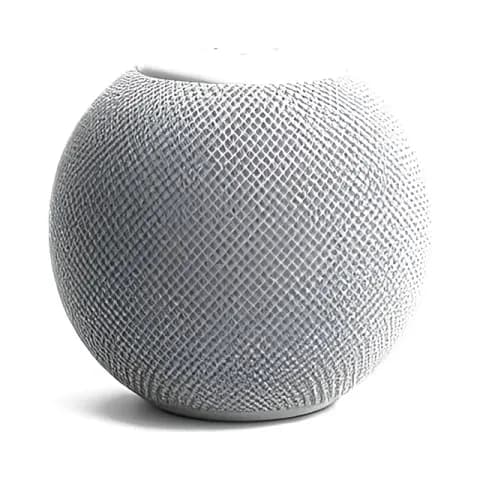
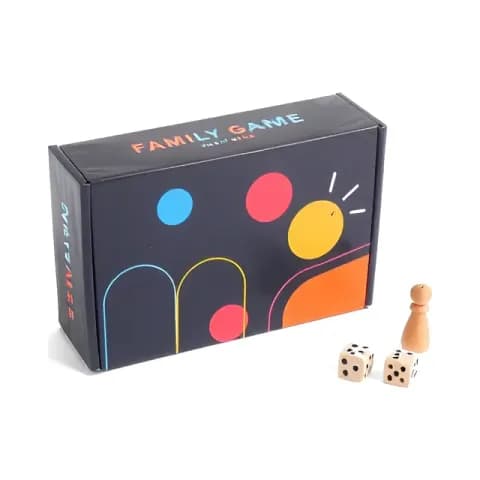
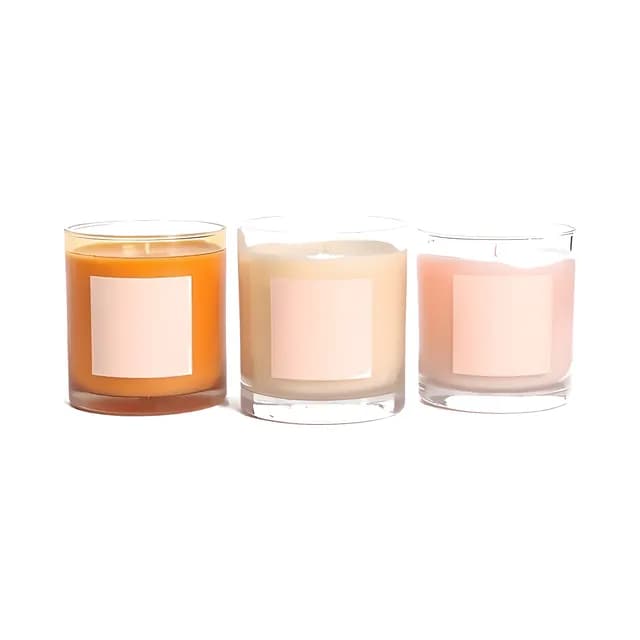
Christmas gift ideas for the whole family
Christmas gift ideas for kids, parents and grandparents. Add anything you like straight to your Christmas list.
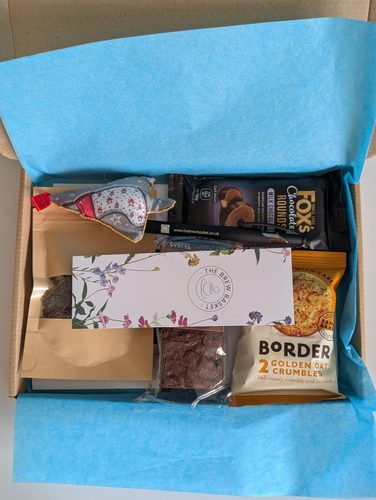 Christmas TreatSponsoredthebrewbasket.co.ukView product
 Cosy Family 7.5 ft Christmas Tree Storage BagSponsoredamazon.comView product
 Pixlora Puzzles for Adults 1000 PiecesSponsoredamazon.comView product
 Theo of GoldenSponsoredamazon.comView product
 HOTO Pocket-Size Laser Measuring ToolSponsoredamazon.comView product
 RICK AND MORTY Christmas JumperSponsoredamazon.comView product
 Bath & Body Works Mahogany Teakwood Intense 3-Wick CandleSponsoredamazon.comView product
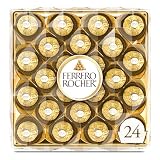 Ferrero Rocher Gourmet Hazelnut Milk Chocolate Gift BoxSponsoredamazon.comView product
 CATAN Board GameSponsoredamazon.comView product
 EverFoams Women's Fuzzy Slippers Cozy House Shoes Cream…Sponsoredamazon.comView product
 Bedsure GentleSoft White Throw BlanketSponsoredamazon.comView product
 Dark Pink Merino ScarfSponsoredtheyorkshirescarfco.comView product
Learn more about creating a Christmas list
What is a Christmas list?
A Christmas list is a wishlist of the gifts you'd like to find under the tree. Share it with family and friends before the holidays so they know what to get you. It saves them panic shopping in the last week before Christmas and saves you returning things in January. Making your Christmas wish list online also means fewer duplicates on Christmas morning.
When to make your Christmas list
The earlier the better, ideally in October or early November. That gives family and friends plenty of time to order, especially for items that might sell out or need to ship from abroad. With Happy Giftlist, building your Christmas wish list is simple. Paste in product links from Amazon, ASOS, Etsy or any store you like, and we'll pull in the name, image and price automatically.
What to put on your Christmas list
Keep it varied: a couple of things you actually need, some fun extras, and at least one or two items at lower price points for guests on a tighter budget. Seasonal pieces, cozy winter things (a soft blanket, a really nice candle), and experiences like a spa or restaurant gift card all work well. Always include the exact product link so there's no confusion about color, size, or style.
How to share your Christmas list with the whole family
Drop the link to your online Christmas list in the family group chat, send it by email, or share it on social media. You can also copy the short code so people can look up your list on happygiftlist.com, or download a QR code to print on a Christmas card. Nobody needs an account to view the list. If the whole family uses Happy Giftlist, everyone can build and share their own holiday gift list. Nobody has to keep a spreadsheet or call around to ask what Mom wants this year, and nobody buys the same thing twice.
A free Christmas list maker for the whole family
Happy Giftlist works as a Christmas wish list maker for kids, parents and grandparents alike. Add gifts from any store, put them in order of priority and share the link. When everyone keeps their own list, you know what to get each of them well before Christmas Eve.
More on Happy Giftlist
Guides from our blog
Frequently asked questions about creating a Christmas list
Type a name for your list at the top of this page and click “Create Christmas list”. If you're not signed in, you can sign up for free or log in right there, and your list is created straight away. Add gifts by pasting a product URL from any online store, and we'll fill in the title, image and price automatically. Then your list is ready to share.
A Christmas list is a list of gifts you'd like to find under the tree. Share it before the holidays so family and friends know what to get you and nobody buys the same thing twice.
Yes, it's completely free. You can build as many Christmas lists as you like.
Things you'd be glad to unwrap, at a few different prices, so a cousin on a small budget finds something too. Use the exact product link so nobody has to guess the size or color.
Mid-October to early November. That leaves time for anything that ships from abroad, and you can keep adding gifts after you've shared the link.
Paste a product URL from any online store and we pull in the name, image and price automatically. You can also add a gift by hand, without a link.
Copy your unique link and share it in a family group chat, by email, or on social media. No account needed to view the list or reserve a gift.
Yes. Everyone makes their own list and shares the link with the rest of the family, and parents can keep a list for each child in their own account.
When someone wants to buy a gift, they click “Reserve”, and it's marked as reserved for everyone else. By default you don't see what has been reserved or by whom, so Christmas morning stays a surprise.
No. Anyone with your link can see your list and reserve gifts without signing up. Only the list owner needs an account.
Yes. A private wishlist won't show up when someone searches for your email address on Happy Giftlist, and only people with your link can see it. That's useful if you want to keep it between a few people.
Yes, you can add or remove items at any time. Already-reserved gifts stay marked so nobody accidentally buys something twice.
Ready to start your list?
Name it, add your first gifts and share the link. It's free.
Start your Christmas list